Difference between revisions of "Accounting Finance:AMEX Merchant Services"
Jump to navigation
Jump to search
m |
|||
| Line 8: | Line 8: | ||
[[File:AMEX1.png|400px]] |
[[File:AMEX1.png|400px]] |
||
| − | + | Submitting Merchant Account Requests Online== |
|
| − | *Changes to Merchant Accounts can be made online. This can either be done over the phone (1-800-268-9877) or over AMEX's live chat which can be accessed by going to https://www.americanexpress.com/ca/en/content/support-cardmember/contact-us.html?page=CM&inav=ca_utility_contact and clicking chat in the bottom right corner. |
+ | *Changes to Merchant Accounts can be made online. This can either be done over the phone (1-800-268-9877) or over AMEX's live chat which can be accessed by going to https://www.americanexpress.com/ca/en/content/support-cardmember/contact-us.html?page=CM&inav=ca_utility_contact and clicking chat in the bottom right corner.[[File:amex.PNG|400px]]== |
*AMEX will generate a link which will be sent via email that will open up a service names "DocuSign". |
*AMEX will generate a link which will be sent via email that will open up a service names "DocuSign". |
||
*The link can only be used once an expires after 30 days. |
*The link can only be used once an expires after 30 days. |
||
Revision as of 12:12, 9 May 2018
Log on
- Log onto American Express Merchant Services: American Express
- Merchant Services: 1-800-268-9877
- Enter UserID: unipharm
- Enter Password: test123
- Click log in
- If you need to re-set password, the password question is - your favourite city is? vancouver

Submitting Merchant Account Requests Online==
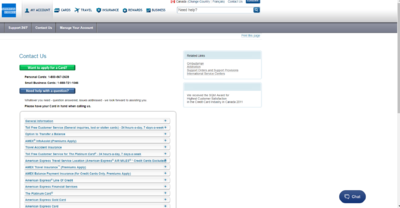
- Changes to Merchant Accounts can be made online. This can either be done over the phone (1-800-268-9877) or over AMEX's live chat which can be accessed by going to https://www.americanexpress.com/ca/en/content/support-cardmember/contact-us.html?page=CM&inav=ca_utility_contact and clicking chat in the bottom right corner.
 ==
== - AMEX will generate a link which will be sent via email that will open up a service names "DocuSign".
- The link can only be used once an expires after 30 days.
- Enter Merchant Number (Can be found in K:\common\AR\Banking\Chase Paymentech\MID Numbers).
- Fill out form with Merchant's information and submit.
- Requests are handled within 3-5 business days.

Activity Report
- Click view statement (last month's AMEX Activity Report).
- Check the 'Dispute' tab and see if there is any inquiry/chargeback needed to be forwarded to the store.
- Send any inquiries to the store ASAP.

- Click download if you wish to download to Excel or you may view and sort on screen
- Click Microsoft Excel
- Click Download

- Click Save
- Save file to \accounting superserver\common\ar\2008\AMEX Activity Reports
- Rename file AMEX Activity Statement-013108
- Click Save
- Click close

File Transfer
- View chargebacks and other reports OR
- Click logout