Accounting Finance:Reminders-Working with Reminders Texts Maintenance
Overview
This routine is used to enter reminder texts' on different levels in the languages from the Language table. Each text is entered separately. The texts are printed on the reminders in the language of the debtor, and the text is selected according to the reminder degree of the invoices included on the reminder, or according to the maximum reminder degree defined in the Name file for the debtor, if this is a lower level.
Working with Reminders Texts Maintenance
- Select ASW fastPath
- Select Cash management
- Select Credit management tasks
- Select Additional credit management tasks
- Select Work with reminder texts
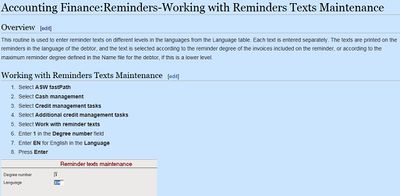
- Enter 1 in the Degree number field
- Enter EN for English in the Language
- Press Enter


Heading Lines
The text you write on these lines will appear as heading on the reminders to the debtors with this language code. Adapt the text to the reminder degree.
Footing Lines
The text you write on these lines will appear as footing on the reminders to the debtors with this language code. Adapt the text to the reminder degree.
- Enter Heading lines
- Enter Footing lines
- Press Enter
